
 iShield
See what iShield
does as you browse.
Take a look inside the extension. See how iShield cleans up pages, choose which trackers to filter, and adjust protection for a single site.
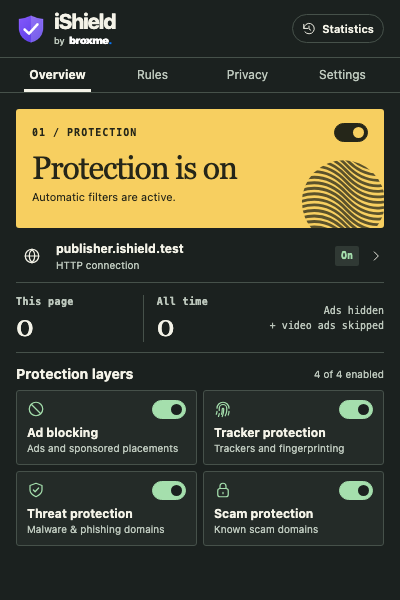 iShield 2.0.0 · Protection overview
Ads, feeds and filter lists
Read past the ad spaces
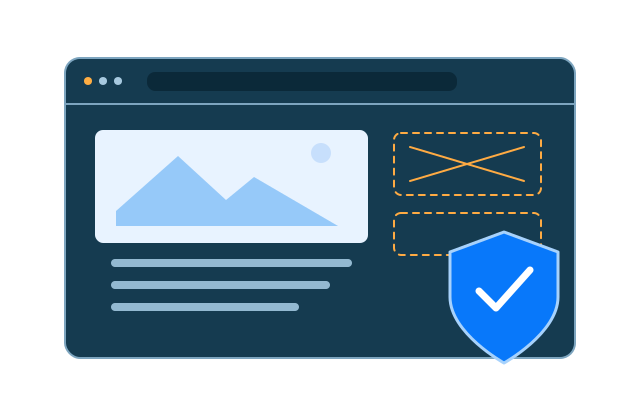
iShield uses browser network rules to block matching ad requests. Page cleanup hides supported banners, sponsored containers and empty placeholders left in the layout.
Filters for the sites you read
Start with AdGuard Base and Tracking Protection. Add EasyList, EasyPrivacy or any of 22 regional subscriptions. Search by name or region, then switch each list on individually. The popup also offers a bulk enable action.
Browse regional filters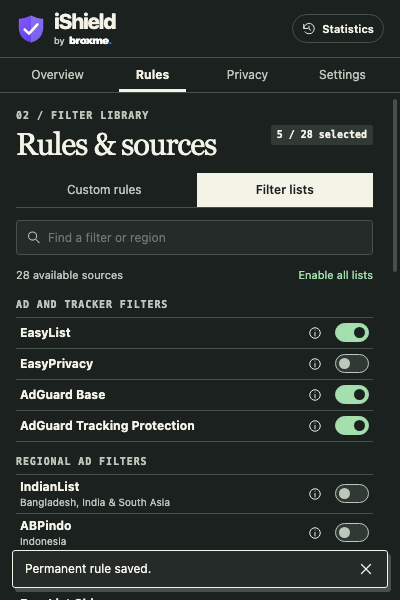 iShield 2.0.0 · Filter library
Regional filter directory
| Filter | Coverage |
|---|---|
| IndianList | Bangladesh, India and South Asia |
| ABPindo | Indonesia |
| ABPVN List | Vietnam |
| EasyList China | Chinese |
| AdGuard Japanese filter | Japan |
| KoreanList | Korea |
| Liste AR | Arabic |
| EasyList Hebrew | Hebrew |
| AdGuard Turkish filter | Türkiye |
| Liste FR | French |
| EasyList Germany | Germany |
| EasyList Dutch | Dutch |
| EasyList Italy | Italy |
| EasyList Spanish | Spanish |
| EasyList Portuguese | Portuguese |
| EasyList Polish | Poland |
| EasyList Czech and Slovak | Czechia and Slovakia |
| AdGuard Russian filter | Russian |
| AdGuard Ukrainian filter | Ukraine |
| Latvian List | Latvia |
| EasyList Lithuania | Lithuania |
| Dandelion Sprout’s Nordic Filters | Nordic countries |
Threats, privacy and site rules
Filter known threats and scams
Two separate controls cover known malware and phishing domains, and known scam domains. Choose which protection layers to enable.
Choose your privacy profile
Choose Balanced, Strong or Maximum to adjust supported fingerprint protections. Optional browser-wide settings require a separate privacy permission. Available controls depend on the browser.
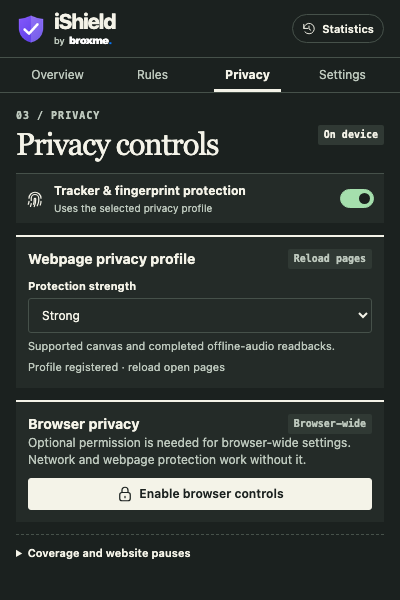 iShield 2.0.0 · Privacy profile
Make an exception for one site
Pause automatic protection for a site and its subdomains. Add a permanent block for a domain, an exact host, subdomains or a supported path. Permanent custom blocks still apply when automatic protection is paused.
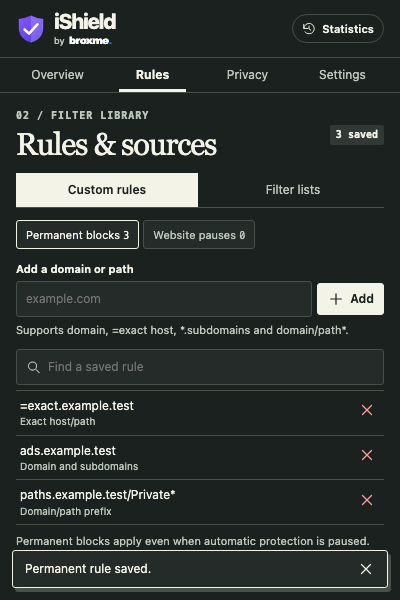 iShield 2.0.0 · Custom rules
Activity and preferences
See what iShield cleaned up
The page badge and Statistics view count measured ad elements hidden and confirmed video skips. Switch between daily, weekly, monthly and all-time totals. Counts stay on your device without a request log.
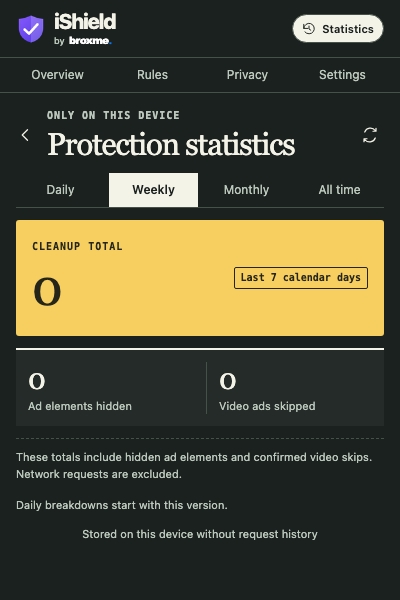 iShield 2.0.0 · Weekly statistics
Set up the popup your way
Choose dark, light or system theme, comfortable or compact spacing, and reduced interface motion. In Installation, recheck the rules installed by your browser. Upgrade tools let you review migrated preferences and export a migration backup when available.
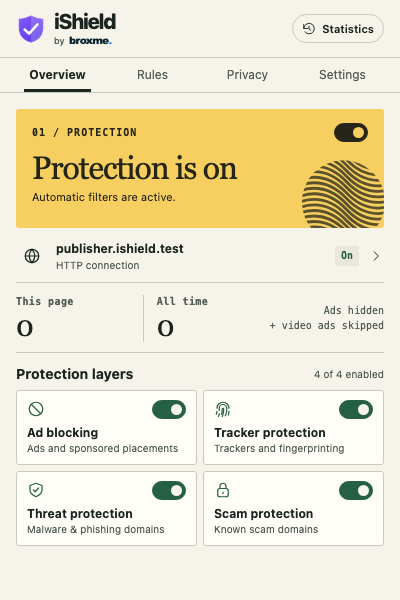 iShield 2.0.0 · Light theme
Choose your browser
Open your browser’s extension store to add iShield. No account with iShield is required.



iShield FAQs
Does iShield count every blocked request?
The counter measures ad elements hidden on the page and confirmed video skips. Network requests are excluded. A zero on the badge means no measured cleanup on that page so far.
Can I use more than one regional list?
Yes. Enable several lists together, or search for a region and switch on just its list. For Bangladesh and India, look for IndianList.
Can I pause protection for just one website?
Yes. Open the website controls in the popup and pause automatic protection for that domain. Your permanent custom blocks continue to apply.
Do I need to record my browsing for statistics?
No. Statistics use local aggregate counts. The optional privacy permission is for additional browser controls.
Clean up feeds and video players
Hide recognized sponsored placements on Facebook, LinkedIn and TikTok. On YouTube, iShield handles supported ad placements and can use an available Skip control. Results depend on the placement and player version.